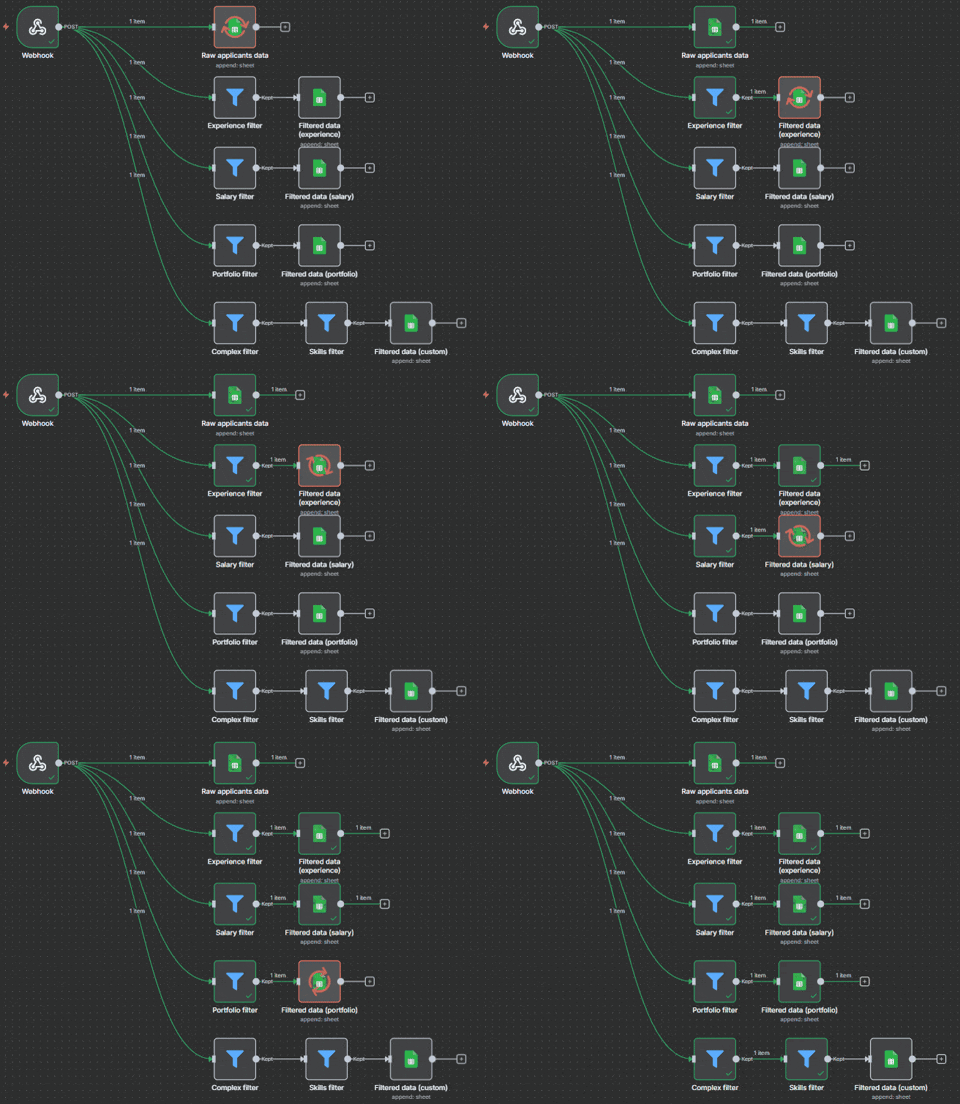
This repository contains an n8n automation workflow for managing and filtering job applicants' data. The workflow receives incoming JSON payloads via a webhook, stores raw applicant data, and applies multiple filters (experience, salary, portfolio, skills, and custom logic) to generate structured datasets for recruitment purposes.
- Webhook integration – Accepts incoming applicant data in JSON format.
- Raw data storage – Saves all applicants into a Google Sheet for record keeping.
- Filtering system:
- Experience filter → Filters applicants based on years of experience.
- Salary filter → Filters applicants based on expected salary range.
- Portfolio filter → Keeps applicants who have provided a portfolio link.
- Skills filter → Filters applicants based on required skills (Python or JS).
- Complex filter → Allows for combined, custom filtering rules.
- Google Sheets integration – Saves both raw and filtered applicant data in separate sheets for easy review.
-
Webhook – Receives applicant data via a POST request.
-
Raw applicants data – Saves all incoming data into Google Sheets.
-
Filters – Processes applicants against predefined criteria:
- Experience
- Expected Salary
- Skills
- Complex/custom logic
-
Filtered data storage – Saves filtered results into separate Google Sheets.
{
  "position": "AI developer",
  "fullname": "John Doe",
  "email": "user@test.com",
  "phone": "+481234567",
  "linkedin": "https://linkedin.com/in/johndoe",
  "experience_years": 3,
  "skills": ["Python", "TensorFlow", "n8n"],
  "portfolio": "https://johndoe.dev",
  "cover_letter": "I am very motivated to join your company and contribute to AI projects.",
  "availability": "immediately",
  "expected_salary": "4000"
}
- Import the workflow into your n8n instance.
- Configure your Google Sheets credentials.
- Adjust the filters according to your recruitment needs:
- Minimum experience
- Maximum salary
- Required skills
- Portfolio requirement
- Custom rules
- n8n – Automation platform
- Google Sheets – Data storage and filtering results
- Webhook – API entry point for applicants
👉 Click here to view workflow.json
You can import this file directly into your n8n instance.