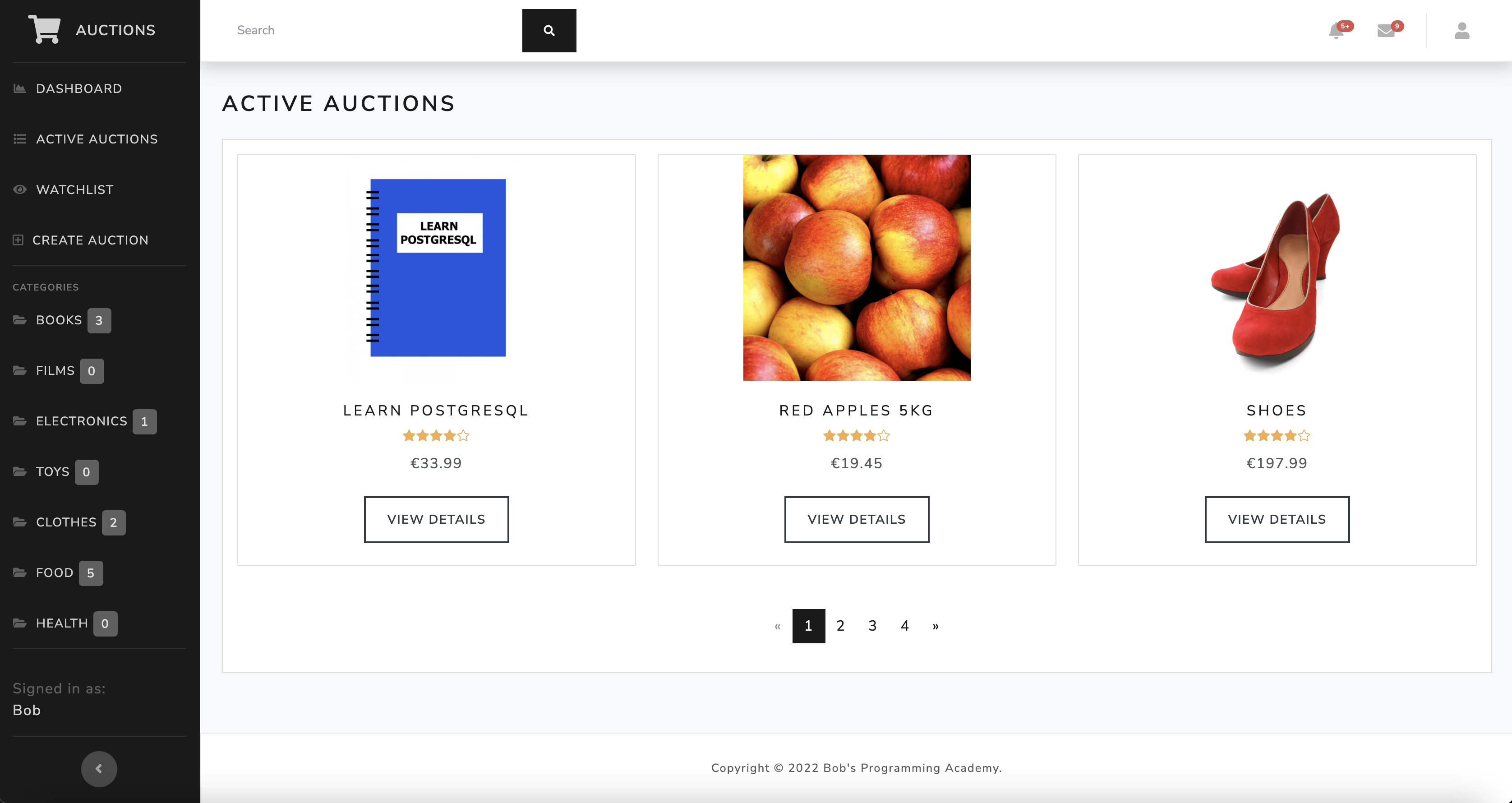
This is an eBay-like e-commerce auction website built using Django 4, HTML 5, CSS 3, and Bootstrap 5 with a Bootswatch theme. The app uses a PostgreSQL database to store data. Charts were built using Chart.js 2.

- Prerequisites
- Installation
- Run the application
- Run the tests
- Add data to the application
- Copyright and License
Install the following prerequisites:
- Python 3.8-3.11
This project uses Django v4.2.4. For Django to work, you must install a correct version of Python on your machine. More information here. - PostgreSQL
- Visual Studio Code
From the root directory, run:
python -m venv venvFrom the root directory, run:
On macOS:
source venv/bin/activateOn Windows:
venv\scripts\activateFrom the root directory, run:
pip install -r requirements.txtWith PostgreSQL up and running, in a new Terminal window, run:
dropdb --if-exists auctionsStart psql, which is a terminal-based front-end to PostgreSQL, by running the command:
psql postgresCreate a new PostgreSQL database:
CREATE DATABASE auctions;Create a new database admin user:
CREATE USER yourusername WITH SUPERUSER PASSWORD 'yourpassword';To quit psql, run:
\qFrom the root directory, run:
touch .envThe touch command will create the .env file in the root directory. This command works on Mac and Linux but not on Windows. If you are a Windows user, instead of using the command line, you can create the .env file manually by navigating in Visual Studio Code to the Explorer and selecting the option New File.
Next, declare environment variables in the .env file. Make sure you don't use quotation marks around the strings.
SECRET_KEY=yoursecretkey
DEBUG=True
DATABASE_NAME=auctions
DATABASE_USER=yourusername
DATABASE_PASS=yourpassword
DATABASE_HOST=localhostFrom the root directory, run:
python manage.py makemigrationspython manage.py migrateFrom the root directory, run:
python manage.py createsuperuserWhen prompted, enter a username, email, and password.
From the root directory, run:
python manage.py runserverFrom the root directory, run:
python manage.py test --pattern="tests.py"
Go to http://127.0.0.1:8000/ to view the application.
Add data through Django Admin.
Go to http://127.0.0.1:8000/admin to access the Django Admin interface and sign in using the admin credentials.
Copyright © 2022 Bob's Programming Academy. Code released under the MIT license.