Dashboard
The IBEX dashboard provides a summary of the status of the instrument; in particular the DAE.
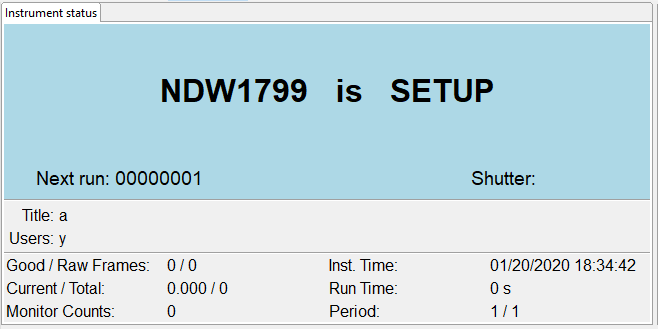
The data displayed in the dashboard can be customized by modifying the database in:
C:\instrument\settings\config\<machine name>\configurations\dashboard.db
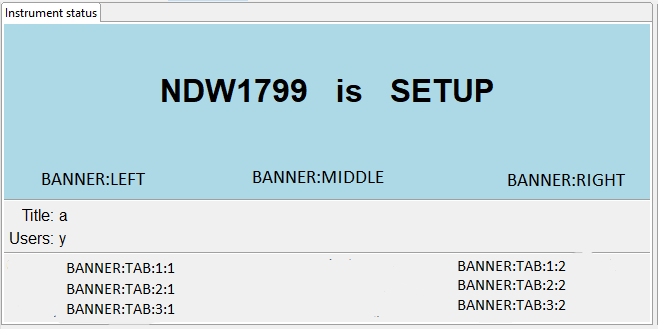
The dashboards points at PVs prefixed with %MYPVPREFIX:CS:DASHBOARD: and postfixed with either VALUE or LABEL to get the values of the value or label respectively. The datatype of these PVs must be strings, and they must therefore be less than 40 characters long.
Examples:
caget %MYPVPREFIX%CS:DASHBOARD:BANNER:LEFT:LABEL
caget %MYPVPREFIX%CS:DASHBOARD:TAB:2:2:VALUE
The following picture shows the location of each customizable dashboard PV (each one includes both a value and a label).